Founders ask whether Lighthouse scores matter for SEO. The honest answer: they are not the whole game, but they are a signal Google uses, and more importantly, they mirror what your customers feel on a phone with mediocre signal outside a job site.
What the number actually measures
Lighthouse bundles four audits. Performance asks how fast meaningful content appears. Accessibility asks whether someone using a screen reader or keyboard can complete tasks. Best Practices catches security and browser compatibility issues. SEO checks basics like meta tags, crawlability, and mobile viewport configuration.
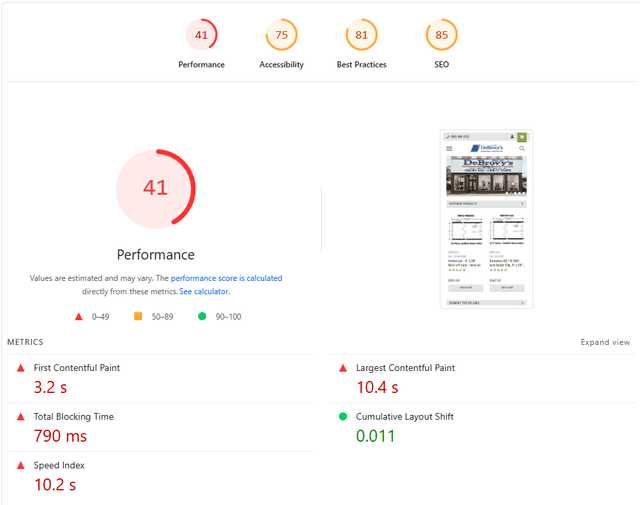
None of those categories are abstract. A 41 on mobile Performance usually means large unoptimized images, render blocking scripts, or a server that takes too long to respond. Your customer experiences that as waiting, not as a metric.
The DeBrovys wake up call
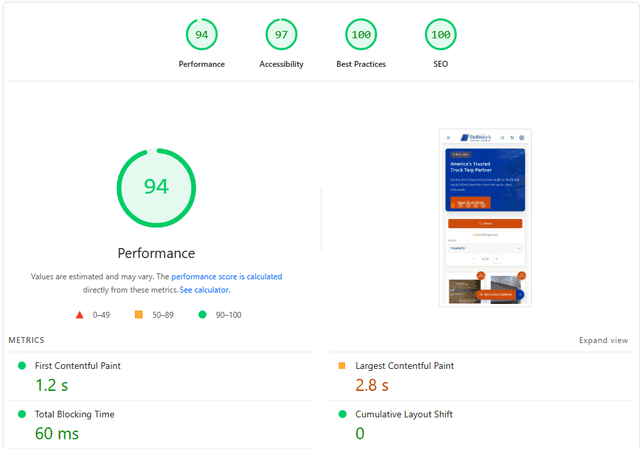
On the original DeBrovys BigCommerce storefront, mobile scored 41 and desktop 59. For a B2B buyer comparing suppliers between deliveries, that slowness reads as neglect. We rebuilt the storefront in Next.js, cut hero assets to WebP, added skeleton loaders, stopped loading the entire 8,500 SKU catalog on the homepage, and watched both scores climb past 94.
Core Web Vitals in plain language
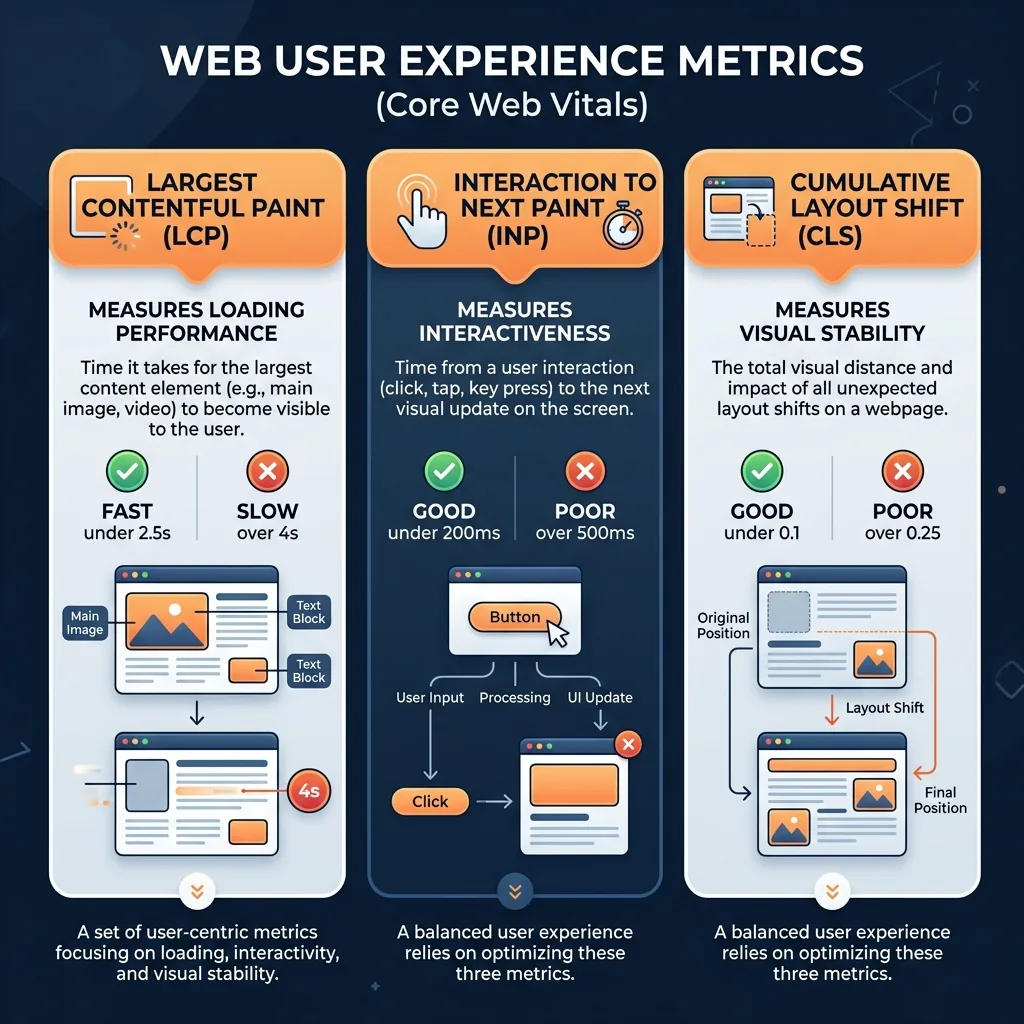
Core Web Vitals translate performance into human terms. LCP measures how long until the main content shows. INP measures how responsive taps feel. CLS measures whether the page jumps around while loading. Fail those on mobile and people leave before your phone number finishes rendering.
- Compress and resize hero images; WebP or AVIF beats raw PNG for landing pages
- Defer non critical JavaScript so text and CTAs paint first
- Set explicit width and height on images to prevent layout shift
- Test on real mobile throttling, not just your office WiFi
- Capture a before score so improvements are provable, not felt
Feelings lie about site speed. Scores do not.
From the DeBrovys rebuild retrospective
You do not need a perfect 100 everywhere to win local search. You do need a site that loads fast enough that trust builds before doubt does. Run Lighthouse on your homepage today. If mobile Performance is under 70, you are leaving calls and form fills on the table, and we can usually tell you why in one audit.
Sources
- Introduction to LighthouseChrome for Developers
- Core Web Vitalsweb.dev
- The Performance panelChrome for Developers
This article links to term definitions and credible external sources on our references page.
View references